
.png)
Description
Download CRM Chat – AI‑Powered Conversational CRM Tool for Sales Teams
Overview – A New Way to Interact with Your CRM
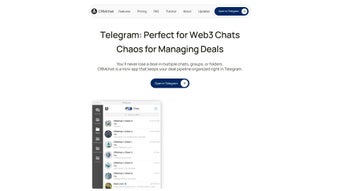
CRM Chat is a cutting‑edge, web‑based conversational AI platform that reshapes the way sales professionals engage with their Customer Relationship Management (CRM) systems. Instead of navigating through endless menus, tabs, and dropdowns, users simply type or speak natural‑language commands to retrieve, create, or update records in real time. Imagine asking, “Show me all opportunities closing this quarter,” or “Create a follow‑up task for John Doe,” and instantly receiving the requested data or having the task created without leaving the chat window. This intuitive interaction reduces the learning curve for new hires, accelerates daily workflows, and minimizes the risk of data entry errors. Built on a secure, cloud‑hosted architecture, CRM Chat complies with GDPR, ISO‑27001, and other industry‑leading security standards, guaranteeing that sensitive client information stays protected while remaining instantly accessible. The platform integrates natively with major CRM ecosystems such as Salesforce, HubSpot, and Pipedrive, meaning organizations can deploy the solution without costly migrations or custom development work. Subscription‑based pricing ensures continuous AI model updates, new language support, and priority customer service, keeping the tool future‑proof and aligned with evolving sales processes. Whether you’re a seasoned sales executive seeking to shave minutes off repetitive tasks, a manager aiming to boost team productivity, or a small business owner looking for a risk‑free trial, CRM Chat offers a free‑trial experience that lets you explore its capabilities before committing. By turning static data into a dynamic dialogue, CRM Chat empowers teams to focus on building relationships rather than wrestling with complex interfaces, ultimately leading to faster deal closures and stronger client retention.
Key Features, Benefits, Pros & Cons
- Natural‑language chat interface for instant data retrieval and entry.
- Voice‑activated commands for hands‑free operation on desktop and mobile.
- Seamless two‑way integration with Salesforce, HubSpot, and Pipedrive.
- AI‑driven suggestions that recommend next‑best actions based on historic data.
- GDPR‑compliant, end‑to‑end encrypted cloud hosting for maximum security.
- Multi‑language support covering English, Spanish, French, German, Mandarin, and more.
- Customizable shortcuts and macros to automate repetitive workflows.
- Analytics dashboard that visualizes usage patterns, adoption rates, and ROI.
- Monthly automatic software updates delivering new features and AI improvements.
- Responsive design that works flawlessly on Windows, macOS, Linux, Android, and iOS browsers.
Why These Features Matter to Sales Teams
The chat‑first design eliminates the need to memorize field names or navigation paths. Sales reps can simply ask, “What’s the latest activity on Acme Corp?” and receive a concise, actionable summary within seconds. Voice commands are a game‑changer for field representatives who need to log calls or schedule follow‑ups while on the road, freeing their hands for other tasks. The deep integration with leading CRMs ensures that any data entered via CRM Chat is instantly synchronized, preserving data integrity and eliminating duplicate records. AI‑driven suggestions surface the most relevant next steps—such as sending a personalized email or booking a product demo—based on predictive analytics, thereby increasing conversion rates.
Pros
- Accelerates data entry and retrieval, saving up to 30 % of time per user.
- Reduces onboarding and training overhead with a familiar chat UI.
- Robust security and compliance build trust for regulated industries.
- Cross‑device compatibility eliminates the need for separate apps.
- Continuous AI improvements via monthly updates keep the tool future‑ready.
Cons
- Requires a stable internet connection; offline functionality is limited.
- Higher‑tier pricing may be a barrier for very small teams.
- Voice recognition accuracy can be affected by background noise.
- Advanced AI suggestions are only available on premium subscription plans.
Installation, Setup & Compatibility Guide
Step‑by‑Step Installation
Getting started with CRM Chat is intentionally straightforward. Visit the official website and click the “Download Free Trial” button. Because CRM Chat is a SaaS solution, the download provides a secure link to the hosted platform rather than a traditional installer. After you register, an activation email arrives with a unique API key. Log in to your CRM (Salesforce, HubSpot, or Pipedrive), navigate to the integrations page, paste the API key, and enable the “CRM Chat” connector. Once the connection is verified, a chat widget appears as a persistent sidebar within your CRM dashboard. For mobile users, simply open the provided link in a modern Android or iOS browser; the responsive design automatically adapts to the screen size, delivering the same conversational experience on the go.
Usage Instructions
Upon launching the widget, you’ll be greeted by a friendly AI assistant. Begin by typing or speaking a command. Common commands include:
- “Create a new lead for XYZ Corp.”
- “Show me all open deals over $50,000.”
- “Log a call with Jane Smith for 15 minutes.”
- “What’s the forecast for next month?”
The AI parses your request, matches it to the appropriate CRM objects, and either displays the result or prompts you for additional details. Frequently used phrases can be saved as “quick actions” for one‑tap access. Administrators can configure role‑based access controls, ensuring sales reps see only data relevant to their pipeline while managers retain full visibility. The built‑in analytics panel provides real‑time metrics on chat usage, helping you identify adoption rates and potential bottlenecks.
Supported Operating Systems and Browsers
CRM Chat is engineered to be platform‑agnostic. It runs flawlessly on any modern browser that supports WebSocket and HTTPS, including Chrome, Edge, Firefox, Safari, and Opera. The tool is compatible with the following operating systems:
- Windows 10, 11 (64‑bit)
- macOS Monterey, Ventura, and later
- Linux distributions with up‑to‑date browsers
- Android 9+ (Chrome Mobile)
- iOS 14+ (Safari)
Because CRM Chat is delivered as a secure SaaS solution, there is no need for manual updates; the service automatically applies patches and AI model enhancements, ensuring you always have the latest features without any extra effort.
Frequently Asked Questions
Below you’ll find answers to the most common queries about CRM Chat. These FAQs cover everything from pricing and trials to security and mobile usage, helping you decide whether this conversational CRM tool fits your organization’s needs.
Is CRM Chat free to try?
Yes, CRM Chat offers a 14‑day free trial that provides full access to all core features, allowing you to evaluate the conversational AI capabilities before committing to a subscription.
Which CRMs are supported?
CRM Chat integrates natively with Salesforce, HubSpot, and Pipedrive. Additional platforms can be connected via custom API hooks, which are available on higher‑tier plans.
How secure is my data?
Data is transmitted over TLS 1.3 encryption, stored in ISO‑27001 certified data centers, and fully GDPR‑compliant. Role‑based permissions further restrict access to sensitive records.
Can I use voice commands on mobile?
Absolutely. The mobile‑responsive interface works on Android and iOS browsers, and the built‑in speech‑to‑text engine lets you issue commands hands‑free.
What happens after the trial ends?
When the trial expires, you’ll be prompted to select a subscription tier. Your data remains intact, and you can continue using the platform without interruption once you upgrade.
Conclusion – Why You Should Download CRM Chat Today
In a market where sales efficiency is a decisive competitive advantage, CRM Chat stands out as a secure, AI‑driven tool that reimagines how teams interact with their CRM data. By turning a traditionally static interface into a dynamic conversation, it eliminates friction, accelerates data entry, and empowers salespeople to focus on building relationships and closing deals. The seamless integration with industry‑leading platforms, cross‑device compatibility, and continuous updates mean you can adopt CRM Chat with confidence, knowing it will evolve alongside your business needs. Whether you’re a growing startup looking for a free trial or an enterprise seeking to boost productivity across thousands of users, the subscription model provides scalable pricing and premium support.
Don’t let cumbersome dashboards hold your team back. Download CRM Chat now, start your free trial, and experience the future of conversational CRM—where every interaction with your data feels as natural as a chat with a colleague.
Pros:
- Instant data access via natural language.
- Voice commands enable hands‑free operation.
- Robust security and compliance.
- Works on Windows, macOS, Android, iOS, and Linux browsers.
- Continuous AI improvements without manual updates.
Cons:
- Requires stable internet connection.
- Higher‑tier pricing for advanced AI suggestions.
- Limited offline functionality.
Guides & Tutorials for CRM Chat
How to install CRM Chat
- Click the Preview / Download button above.
- Once redirected, accept the terms and click Install.
- Wait for the CRM Chat download to finish on your device.
How to use CRM Chat
This software is primarily used for its core features described above. Open the app after installation to explore its capabilities.
User Reviews for CRM Chat 0
No reviews found




